Text to Image
Transform text instructions into visually striking images using our self-developed large-scale diffusion models. The system understands complex semantic logic and precisely controls lighting, materials, and composition. Whether it's a realistic photographic masterpiece or imaginative illustrative art, generate it with a single click.
Typical Application Scenarios
- Creative Design: Quickly generate visual sketches based on abstract concepts, shortening the validation cycle.
- Content Creation: Provide high-quality original images for articles, video covers, and social media content.
- Game Art: Rapidly iterate on character concept designs, environmental mood boards, or UI decorative assets.
Best Practices
TIP
- Use "Structured Prompts": [Subject] + [Action] + [Environment] + [Lighting/Material] + [Art Style].
- For scenarios requiring extreme precision, we recommend using the "Prompt Enhancement" API first to optimize your keywords.
- When generating images with faces or complex textures, try different models to achieve the best aesthetic performance.
API Reference used on this page POST /images/generations
Basic Examples
curl -X POST 'https://api.v2fun.ai/api/v1/images/generations' \
  -H 'Authorization: Bearer $V2FUN_API_KEY' \
  -H 'Content-Type: application/json' \
  -d '{
      "prompt": "A beautiful sunset over the mountains"
}'const response = await fetch('https://api.v2fun.ai/api/v1/images/generations', {
method: 'POST',
headers: {
'Authorization': 'Bearer $V2FUN_API_KEY',
'Content-Type': 'application/json',
},
body: JSON.stringify({
"prompt": "A beautiful sunset over the mountains"
}),
});
const data = await response.json();import requests
resp = requests.post(
'https://api.v2fun.ai/api/v1/images/generations',
headers={
'Authorization': 'Bearer $V2FUN_API_KEY',
'Content-Type': 'application/json',
},
json={
"prompt": "A beautiful sunset over the mountains"
},
)
print(resp.json())import java.net.URI;
import java.net.http.*;
HttpClient client = HttpClient.newHttpClient();
String body = "{\"prompt\":\"A beautiful sunset over the mountains\"}";
HttpRequest request = HttpRequest.newBuilder()
.uri(URI.create("https://api.v2fun.ai/api/v1/images/generations"))
.header("Authorization", "Bearer $V2FUN_API_KEY")
.header("Content-Type", "application/json")
.POST(HttpRequest.BodyPublishers.ofString(body))
.build();
HttpResponse<String> response = client.send(
request, HttpResponse.BodyHandlers.ofString());
System.out.println(response.body());Core Use Cases
Model Aesthetic Selection
Each model has distinct strengths — choose by scenario:
Qwenqwen-image (default) — fast, strong instruction following, excellent for text/layout.
Gemininano-banana-2-lite — fastest output, lowest cost, 1K resolution only.nano-banana-2 — best semantic understanding, supports multi-image references.nano-banana-pro — best image quality, excels at lighting and material detail.
GPTgpt-image-2 — realistic rendering, precise text, great for brand and product imagery.gpt-image-2.5-flare — a speed-optimized lightweight model for high-volume, everyday image generation and editing, offering quality comparable to GPT Image 2 with lower latency.gpt-image-2.5-sunburst — a quality-focused model for demanding generation and precise editing, with stronger instruction following, subject preservation, and detail fidelity.
model: qwen-image · nano-banana-pro · nano-banana-2 · nano-banana-2-lite · gpt-image-2 · gpt-image-2.5-sunburst · gpt-image-2.5-flare
curl -X POST 'https://api.v2fun.ai/api/v1/images/generations' \
  -H 'Authorization: Bearer $V2FUN_API_KEY' \
  -H 'Content-Type: application/json' \
  -d '{
      "prompt": "a cinematic shot of a lone traveler in a vast desert, golden hour lighting",
      "model": "nano-banana-pro"
}'const response = await fetch('https://api.v2fun.ai/api/v1/images/generations', {
method: 'POST',
headers: {
'Authorization': 'Bearer $V2FUN_API_KEY',
'Content-Type': 'application/json',
},
body: JSON.stringify({
"prompt": "a cinematic shot of a lone traveler in a vast desert, golden hour lighting",
"model": "nano-banana-pro"
}),
});
const data = await response.json();import requests
resp = requests.post(
'https://api.v2fun.ai/api/v1/images/generations',
headers={
'Authorization': 'Bearer $V2FUN_API_KEY',
'Content-Type': 'application/json',
},
json={
"prompt": "a cinematic shot of a lone traveler in a vast desert, golden hour lighting",
"model": "nano-banana-pro"
},
)
print(resp.json())import java.net.URI;
import java.net.http.*;
HttpClient client = HttpClient.newHttpClient();
String body = "{\"prompt\":\"a cinematic shot of a lone traveler in a vast desert, golden hour lighting\",\"model\":\"nano-banana-pro\"}";
HttpRequest request = HttpRequest.newBuilder()
.uri(URI.create("https://api.v2fun.ai/api/v1/images/generations"))
.header("Authorization", "Bearer $V2FUN_API_KEY")
.header("Content-Type", "application/json")
.POST(HttpRequest.BodyPublishers.ofString(body))
.build();
HttpResponse<String> response = client.send(
request, HttpResponse.BodyHandlers.ofString());
System.out.println(response.body());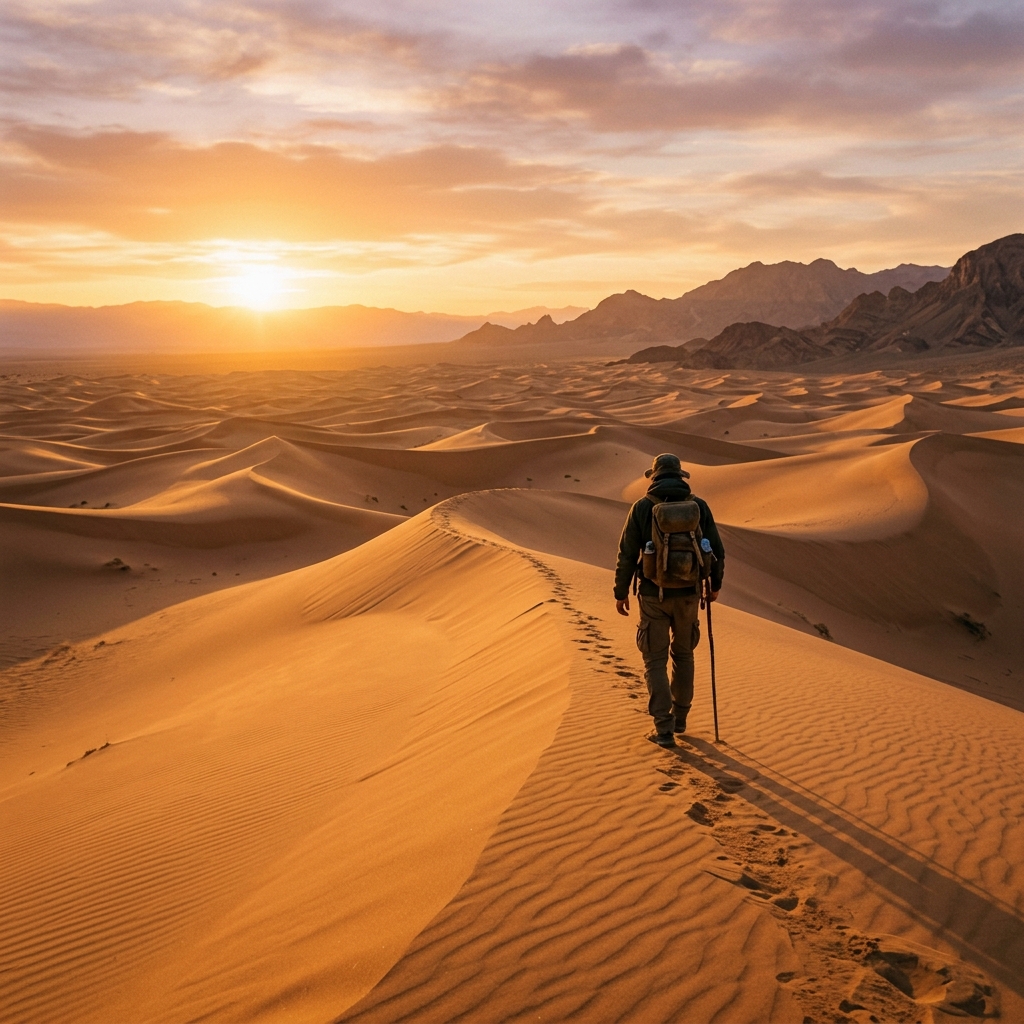
Composition Aspect Ratio
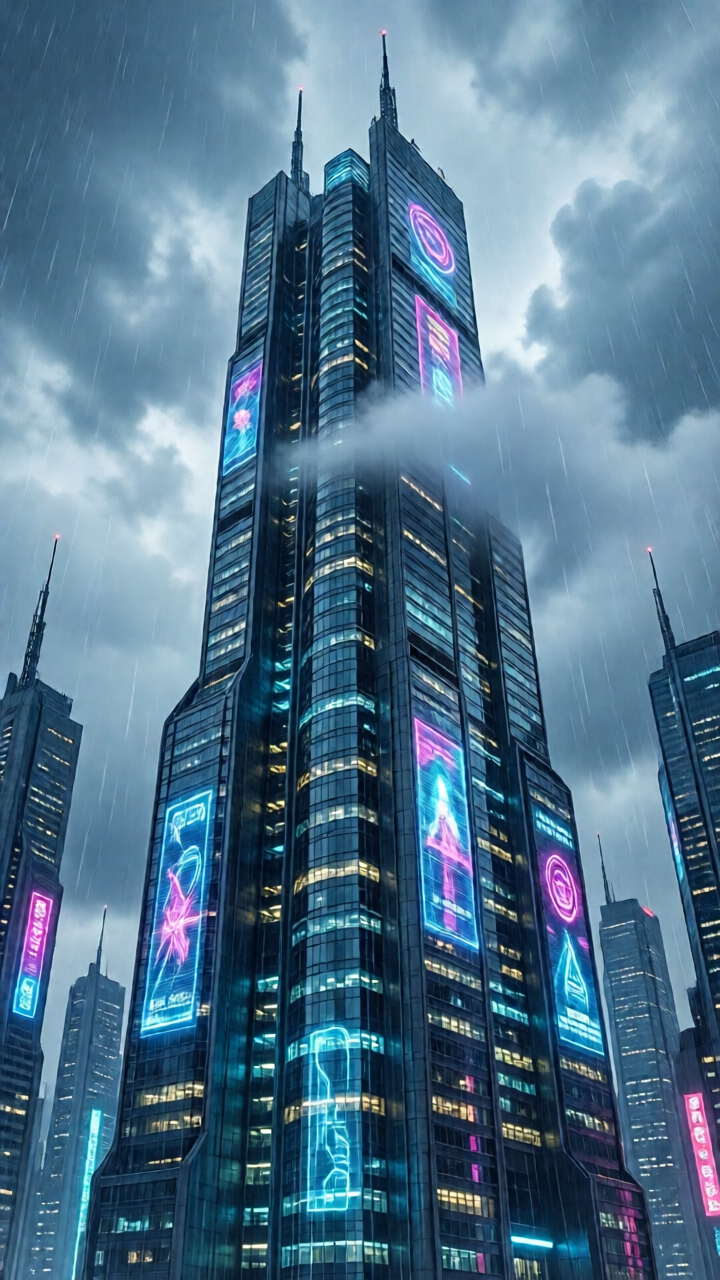
Different aspect ratios profoundly affect the model's composition logic. For example, 1280x720 is better for grand panoramic narratives, while 720x1280 better highlights the slender lines of a main character.
size: 1024x1024 · 1152x864 · 864x1152 · 1280x720 · 720x1280
curl -X POST 'https://api.v2fun.ai/api/v1/images/generations' \
  -H 'Authorization: Bearer $V2FUN_API_KEY' \
  -H 'Content-Type: application/json' \
  -d '{
      "prompt": "a tall cyberpunk skyscraper reaching the clouds",
      "size": "720x1280"
}'const response = await fetch('https://api.v2fun.ai/api/v1/images/generations', {
method: 'POST',
headers: {
'Authorization': 'Bearer $V2FUN_API_KEY',
'Content-Type': 'application/json',
},
body: JSON.stringify({
"prompt": "a tall cyberpunk skyscraper reaching the clouds",
"size": "720x1280"
}),
});
const data = await response.json();import requests
resp = requests.post(
'https://api.v2fun.ai/api/v1/images/generations',
headers={
'Authorization': 'Bearer $V2FUN_API_KEY',
'Content-Type': 'application/json',
},
json={
"prompt": "a tall cyberpunk skyscraper reaching the clouds",
"size": "720x1280"
},
)
print(resp.json())import java.net.URI;
import java.net.http.*;
HttpClient client = HttpClient.newHttpClient();
String body = "{\"prompt\":\"a tall cyberpunk skyscraper reaching the clouds\",\"size\":\"720x1280\"}";
HttpRequest request = HttpRequest.newBuilder()
.uri(URI.create("https://api.v2fun.ai/api/v1/images/generations"))
.header("Authorization", "Bearer $V2FUN_API_KEY")
.header("Content-Type", "application/json")
.POST(HttpRequest.BodyPublishers.ofString(body))
.build();
HttpResponse<String> response = client.send(
request, HttpResponse.BodyHandlers.ofString());
System.out.println(response.body());