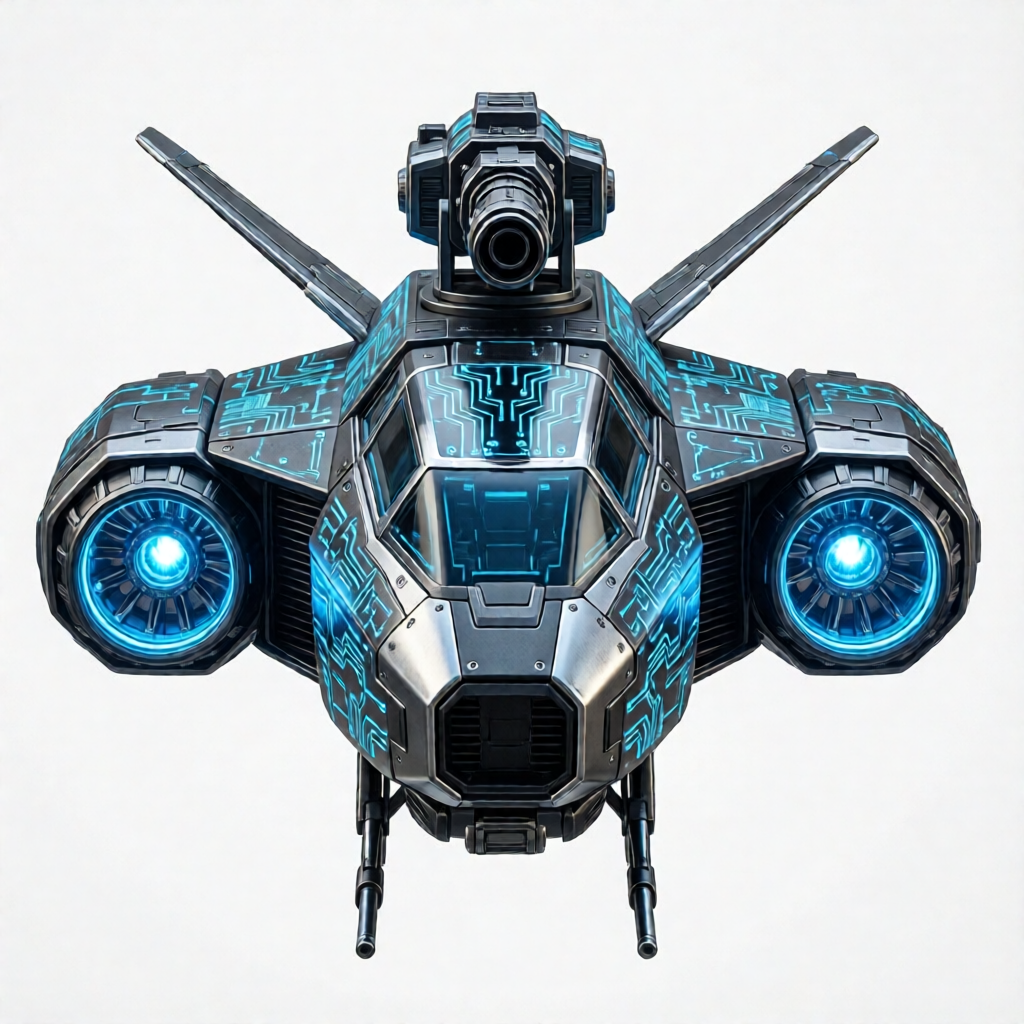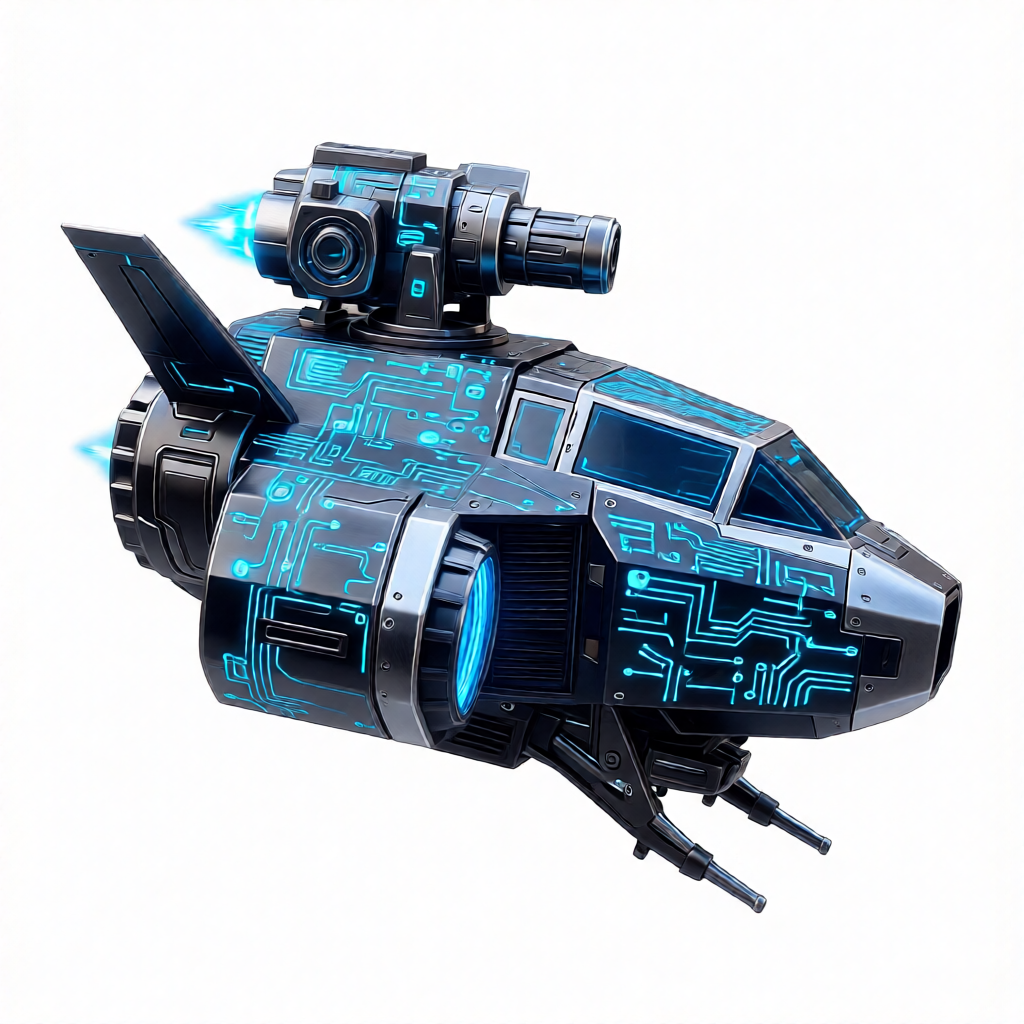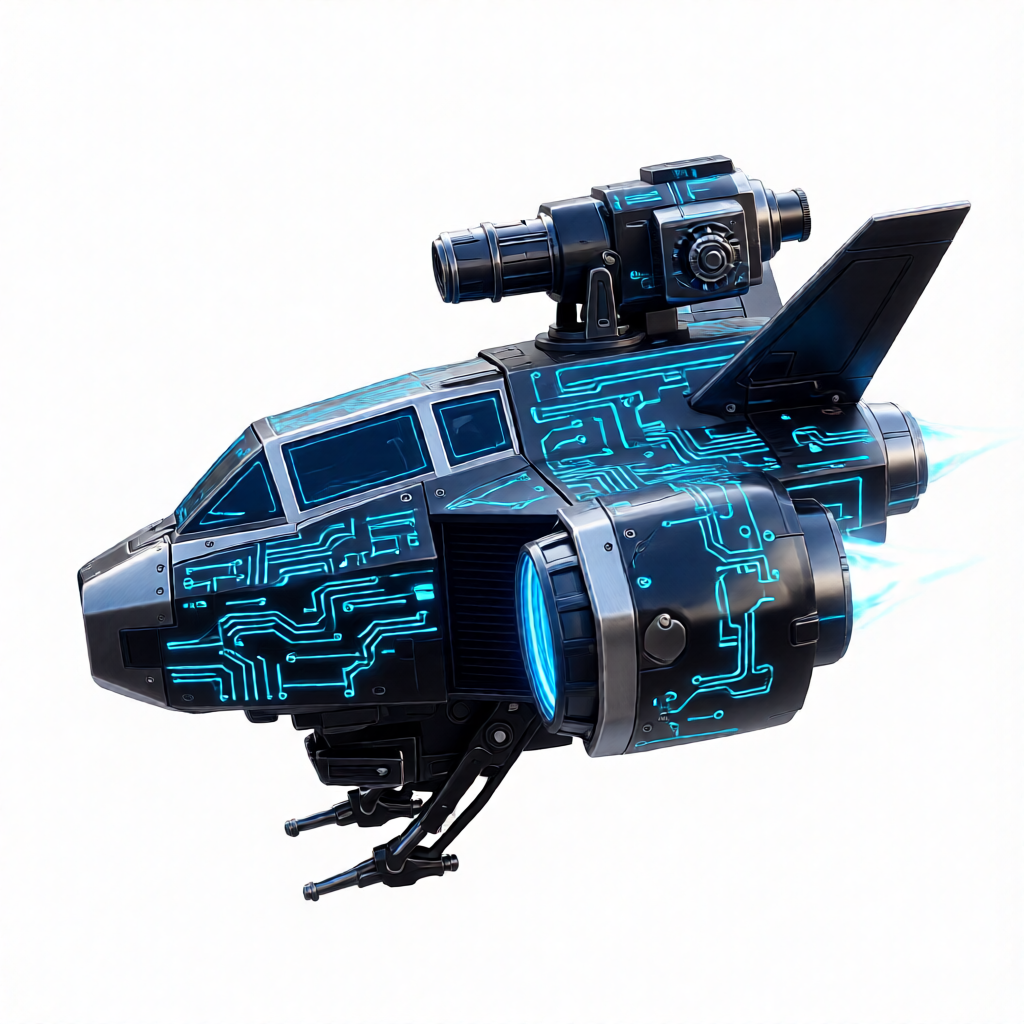
3D Model Generation
V2Fun offers three complementary 3D modeling modes: Text to 3D (from a text description), Image to 3D (rebuild a full 3D asset from a single photo), and Multi-view to 3D (fuse multi-angle photos for industrial-grade precision). All modes support white mesh, textured, PBR, or 8K HD output quality.
Typical Application Scenarios
- Game / Film assets: Quickly convert concept art or descriptions into engine-ready GLB models.
- E-commerce 3D: Generate 360° interactive models from product photos.
- Industrial digital twins: Accurately reconstruct geometry from multi-angle scans for high-precision simulation.
Recommended Workflow
- Choose input mode → text description with
prompt; single photo withinput_image; multi-angle photos withinput_images - Choose output format
with_texture: false— geometry-only white mesh (fast, great for shape validation)with_texture: true— include AI-generated texture maps
- Optional: enhance texture quality (requires
with_texture: true)hd_texture: true— upscale to 8K ultra-high-respbr_texture: true— add metallic/roughness PBR maps for modern renderers
- Export → download the GLB and use in your 3D engine or AR/VR platform
API Reference used on this page POST /3d_models/meshes
Basic Examples
curl -X POST 'https://api.v2fun.ai/api/v1/3d_models/meshes' \
  -H 'Authorization: Bearer $V2FUN_API_KEY' \
  -H 'Content-Type: application/json' \
  -d '{
      "prompt": "a classic wooden dining chair, clean design, natural wood texture"
}'const response = await fetch('https://api.v2fun.ai/api/v1/3d_models/meshes', {
method: 'POST',
headers: {
'Authorization': 'Bearer $V2FUN_API_KEY',
'Content-Type': 'application/json',
},
body: JSON.stringify({
"prompt": "a classic wooden dining chair, clean design, natural wood texture"
}),
});
const data = await response.json();import requests
resp = requests.post(
'https://api.v2fun.ai/api/v1/3d_models/meshes',
headers={
'Authorization': 'Bearer $V2FUN_API_KEY',
'Content-Type': 'application/json',
},
json={
"prompt": "a classic wooden dining chair, clean design, natural wood texture"
},
)
print(resp.json())import java.net.URI;
import java.net.http.*;
HttpClient client = HttpClient.newHttpClient();
String body = "{\"prompt\":\"a classic wooden dining chair, clean design, natural wood texture\"}";
HttpRequest request = HttpRequest.newBuilder()
.uri(URI.create("https://api.v2fun.ai/api/v1/3d_models/meshes"))
.header("Authorization", "Bearer $V2FUN_API_KEY")
.header("Content-Type", "application/json")
.POST(HttpRequest.BodyPublishers.ofString(body))
.build();
HttpResponse<String> response = client.send(
request, HttpResponse.BodyHandlers.ofString());
System.out.println(response.body());Core Use Cases
Text to 3D
Generate a 3D mesh from a text description. Output is a white mesh by default; enable with_texture: true for AI-generated textures, and optionally add hd_texture or pbr_texture for higher quality.
Base Geometry Generation
By turning off texture generation, you can rapidly obtain the object's geometric structure. This is practical for artists who only need a 3D outline or plan to do custom texturing later.
curl -X POST 'https://api.v2fun.ai/api/v1/3d_models/meshes' \
  -H 'Authorization: Bearer $V2FUN_API_KEY' \
  -H 'Content-Type: application/json' \
  -d '{
      "prompt": "a royal crown with five pointed peaks and gem sockets",
      "with_texture": false
}'const response = await fetch('https://api.v2fun.ai/api/v1/3d_models/meshes', {
method: 'POST',
headers: {
'Authorization': 'Bearer $V2FUN_API_KEY',
'Content-Type': 'application/json',
},
body: JSON.stringify({
"prompt": "a royal crown with five pointed peaks and gem sockets",
"with_texture": false
}),
});
const data = await response.json();import requests
resp = requests.post(
'https://api.v2fun.ai/api/v1/3d_models/meshes',
headers={
'Authorization': 'Bearer $V2FUN_API_KEY',
'Content-Type': 'application/json',
},
json={
"prompt": "a royal crown with five pointed peaks and gem sockets",
"with_texture": false
},
)
print(resp.json())import java.net.URI;
import java.net.http.*;
HttpClient client = HttpClient.newHttpClient();
String body = "{\"prompt\":\"a royal crown with five pointed peaks and gem sockets\",\"with_texture\":false}";
HttpRequest request = HttpRequest.newBuilder()
.uri(URI.create("https://api.v2fun.ai/api/v1/3d_models/meshes"))
.header("Authorization", "Bearer $V2FUN_API_KEY")
.header("Content-Type", "application/json")
.POST(HttpRequest.BodyPublishers.ofString(body))
.build();
HttpResponse<String> response = client.send(
request, HttpResponse.BodyHandlers.ofString());
System.out.println(response.body());High-Precision Material Generation
Synchronously generate standard diffuse, metallic, and roughness maps to make models look more realistic in renderers.
curl -X POST 'https://api.v2fun.ai/api/v1/3d_models/meshes' \
  -H 'Authorization: Bearer $V2FUN_API_KEY' \
  -H 'Content-Type: application/json' \
  -d '{
      "prompt": "an ornate wooden treasure chest filled with glowing gems and gold coins, open lid",
      "with_texture": true,
      "pbr_texture": true,
      "hd_texture": true
}'const response = await fetch('https://api.v2fun.ai/api/v1/3d_models/meshes', {
method: 'POST',
headers: {
'Authorization': 'Bearer $V2FUN_API_KEY',
'Content-Type': 'application/json',
},
body: JSON.stringify({
"prompt": "an ornate wooden treasure chest filled with glowing gems and gold coins, open lid",
"with_texture": true,
"pbr_texture": true,
"hd_texture": true
}),
});
const data = await response.json();import requests
resp = requests.post(
'https://api.v2fun.ai/api/v1/3d_models/meshes',
headers={
'Authorization': 'Bearer $V2FUN_API_KEY',
'Content-Type': 'application/json',
},
json={
"prompt": "an ornate wooden treasure chest filled with glowing gems and gold coins, open lid",
"with_texture": true,
"pbr_texture": true,
"hd_texture": true
},
)
print(resp.json())import java.net.URI;
import java.net.http.*;
HttpClient client = HttpClient.newHttpClient();
String body = "{\"prompt\":\"an ornate wooden treasure chest filled with glowing gems and gold coins, open lid\",\"with_texture\":true,\"pbr_texture\":true,\"hd_texture\":true}";
HttpRequest request = HttpRequest.newBuilder()
.uri(URI.create("https://api.v2fun.ai/api/v1/3d_models/meshes"))
.header("Authorization", "Bearer $V2FUN_API_KEY")
.header("Content-Type", "application/json")
.POST(HttpRequest.BodyPublishers.ofString(body))
.build();
HttpResponse<String> response = client.send(
request, HttpResponse.BodyHandlers.ofString());
System.out.println(response.body());Image to 3D
Leveraging powerful spatial reasoning, reconstruct a high-quality 3D model from just one photo. The system handles perspective automatically, matching the original image in scale and structure.
High-Def Texture Optimization
Enable hd_texture to upgrade model textures to 8K ultra-high resolution, preserving fine material details, eliminating stretch blur, and completing back textures automatically.
curl -X POST 'https://api.v2fun.ai/api/v1/3d_models/meshes' \
  -H 'Authorization: Bearer $V2FUN_API_KEY' \
  -H 'Content-Type: application/json' \
  -d '{
      "input_image": "https://asset.v2fun.ai/upload/img23d-input-mech.png",
      "with_texture": true,
      "hd_texture": true
}'const response = await fetch('https://api.v2fun.ai/api/v1/3d_models/meshes', {
method: 'POST',
headers: {
'Authorization': 'Bearer $V2FUN_API_KEY',
'Content-Type': 'application/json',
},
body: JSON.stringify({
"input_image": "https://asset.v2fun.ai/upload/img23d-input-mech.png",
"with_texture": true,
"hd_texture": true
}),
});
const data = await response.json();import requests
resp = requests.post(
'https://api.v2fun.ai/api/v1/3d_models/meshes',
headers={
'Authorization': 'Bearer $V2FUN_API_KEY',
'Content-Type': 'application/json',
},
json={
"input_image": "https://asset.v2fun.ai/upload/img23d-input-mech.png",
"with_texture": true,
"hd_texture": true
},
)
print(resp.json())import java.net.URI;
import java.net.http.*;
HttpClient client = HttpClient.newHttpClient();
String body = "{\"input_image\":\"https://asset.v2fun.ai/upload/img23d-input-mech.png\",\"with_texture\":true,\"hd_texture\":true}";
HttpRequest request = HttpRequest.newBuilder()
.uri(URI.create("https://api.v2fun.ai/api/v1/3d_models/meshes"))
.header("Authorization", "Bearer $V2FUN_API_KEY")
.header("Content-Type", "application/json")
.POST(HttpRequest.BodyPublishers.ofString(body))
.build();
HttpResponse<String> response = client.send(
request, HttpResponse.BodyHandlers.ofString());
System.out.println(response.body());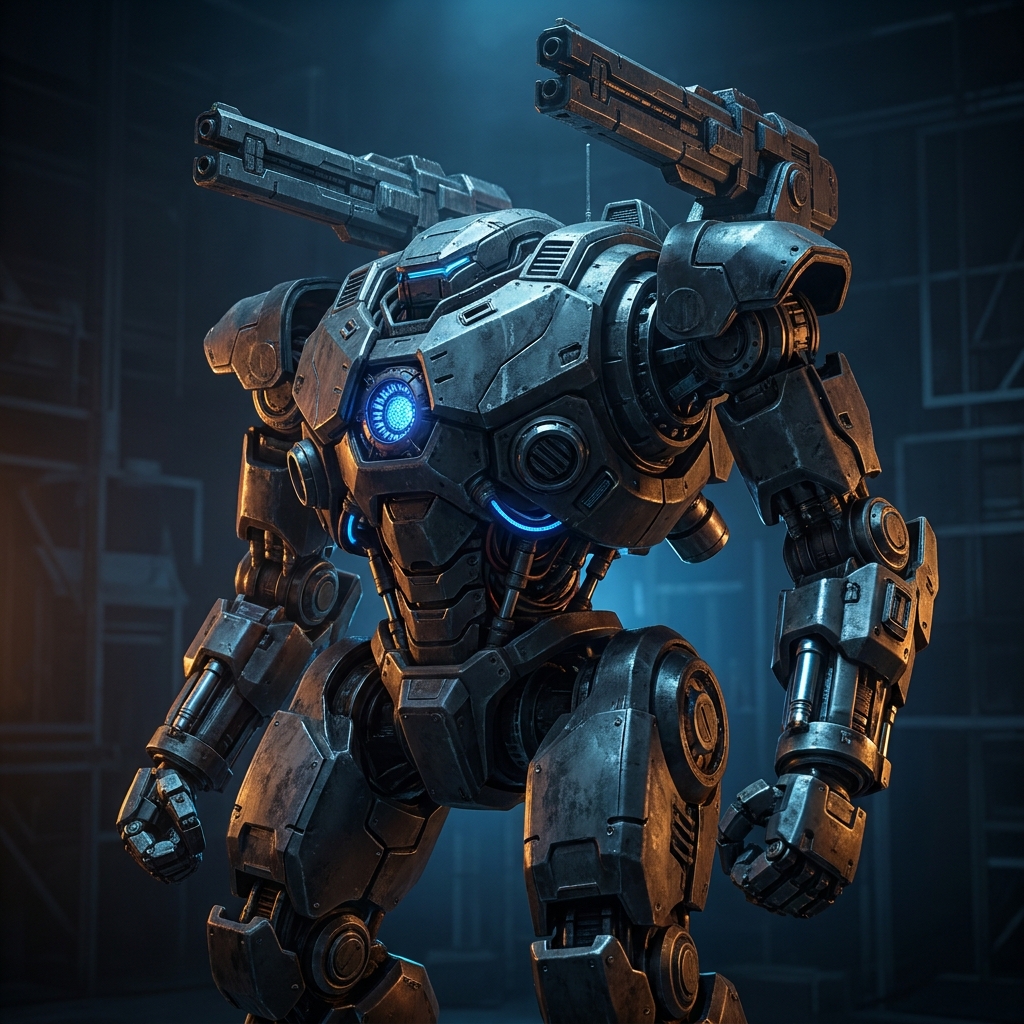
PBR Material Generation
Generate physically-based textures simultaneously, making the model render realistically across different lighting environments.
curl -X POST 'https://api.v2fun.ai/api/v1/3d_models/meshes' \
  -H 'Authorization: Bearer $V2FUN_API_KEY' \
  -H 'Content-Type: application/json' \
  -d '{
      "input_image": "https://asset.v2fun.ai/upload/img23d-input-mech.png",
      "with_texture": true,
      "pbr_texture": true
}'const response = await fetch('https://api.v2fun.ai/api/v1/3d_models/meshes', {
method: 'POST',
headers: {
'Authorization': 'Bearer $V2FUN_API_KEY',
'Content-Type': 'application/json',
},
body: JSON.stringify({
"input_image": "https://asset.v2fun.ai/upload/img23d-input-mech.png",
"with_texture": true,
"pbr_texture": true
}),
});
const data = await response.json();import requests
resp = requests.post(
'https://api.v2fun.ai/api/v1/3d_models/meshes',
headers={
'Authorization': 'Bearer $V2FUN_API_KEY',
'Content-Type': 'application/json',
},
json={
"input_image": "https://asset.v2fun.ai/upload/img23d-input-mech.png",
"with_texture": true,
"pbr_texture": true
},
)
print(resp.json())import java.net.URI;
import java.net.http.*;
HttpClient client = HttpClient.newHttpClient();
String body = "{\"input_image\":\"https://asset.v2fun.ai/upload/img23d-input-mech.png\",\"with_texture\":true,\"pbr_texture\":true}";
HttpRequest request = HttpRequest.newBuilder()
.uri(URI.create("https://api.v2fun.ai/api/v1/3d_models/meshes"))
.header("Authorization", "Bearer $V2FUN_API_KEY")
.header("Content-Type", "application/json")
.POST(HttpRequest.BodyPublishers.ofString(body))
.build();
HttpResponse<String> response = client.send(
request, HttpResponse.BodyHandlers.ofString());
System.out.println(response.body());Multi-view to 3D
If you have photos of an object from multiple angles (front, back, side), this feature uses multi-view stereo matching for industrial-grade precision far superior to single-image reconstruction.
High-Fidelity Reconstruction
By inputting photos from different dimensions, the system performs complex triangulation to generate 3D assets with precise physical proportions.
curl -X POST 'https://api.v2fun.ai/api/v1/3d_models/meshes' \
  -H 'Authorization: Bearer $V2FUN_API_KEY' \
  -H 'Content-Type: application/json' \
  -d '{
      "input_images": {
        "front": "https://asset.v2fun.ai/upload/mv-input-front.png",
        "left": "https://asset.v2fun.ai/upload/mv2-input-right.png",
        "right": "https://asset.v2fun.ai/upload/mv2-input-left.png"
      },
      "with_texture": true
}'const response = await fetch('https://api.v2fun.ai/api/v1/3d_models/meshes', {
method: 'POST',
headers: {
'Authorization': 'Bearer $V2FUN_API_KEY',
'Content-Type': 'application/json',
},
body: JSON.stringify({
"input_images": {
"front": "https://asset.v2fun.ai/upload/mv-input-front.png",
"left": "https://asset.v2fun.ai/upload/mv2-input-right.png",
"right": "https://asset.v2fun.ai/upload/mv2-input-left.png"
},
"with_texture": true
}),
});
const data = await response.json();import requests
resp = requests.post(
'https://api.v2fun.ai/api/v1/3d_models/meshes',
headers={
'Authorization': 'Bearer $V2FUN_API_KEY',
'Content-Type': 'application/json',
},
json={
"input_images": {
"front": "https://asset.v2fun.ai/upload/mv-input-front.png",
"left": "https://asset.v2fun.ai/upload/mv2-input-right.png",
"right": "https://asset.v2fun.ai/upload/mv2-input-left.png"
},
"with_texture": true
},
)
print(resp.json())import java.net.URI;
import java.net.http.*;
HttpClient client = HttpClient.newHttpClient();
String body = "{\"input_images\":{\"front\":\"https://asset.v2fun.ai/upload/mv-input-front.png\",\"left\":\"https://asset.v2fun.ai/upload/mv2-input-right.png\",\"right\":\"https://asset.v2fun.ai/upload/mv2-input-left.png\"},\"with_texture\":true}";
HttpRequest request = HttpRequest.newBuilder()
.uri(URI.create("https://api.v2fun.ai/api/v1/3d_models/meshes"))
.header("Authorization", "Bearer $V2FUN_API_KEY")
.header("Content-Type", "application/json")
.POST(HttpRequest.BodyPublishers.ofString(body))
.build();
HttpResponse<String> response = client.send(
request, HttpResponse.BodyHandlers.ofString());
System.out.println(response.body());