
3D 模型生成
V2Fun 提供三种互补的 3D 建模方式:文生图(从文字描述到三维模型)、单图生成(一张照片即可重建完整 3D 资产)、多视角生成(多角度照片融合,工业级精度)。无论起点是创意文字还是真实照片,均支持输出白模、带贴图、PBR 材质或 8K 高清贴图等多种质量档位。
典型应用场景
- 游戏/影视资产:将原画、概念描述快速转化为可直接导入引擎的 GLB 模型
- 电商 3D 展示:用产品实拍图生成 360° 交互模型,替代传统拍摄方案
- 工业数字孪生:多角度扫描后精确还原物体几何,适配高精度仿真场景
推荐工作流
- 选择生成方式 → 文字描述用
prompt;单张照片用input_image;多角度照片用input_images - 选择输出格式
with_texture: false— 仅输出几何白模(速度快,适合验证形状)with_texture: true— 同时生成 AI 纹理贴图
- 可选:提升贴图质量(需先开启
with_texture: true)hd_texture: true— 升级为 8K 超高清,细节更锐利清晰pbr_texture: true— 生成金属度、粗糙度 PBR 材质,适配现代渲染引擎
- 导出使用 → 获取 GLB,导入 3D 引擎或 AR/VR 平台
本页使用的 API 参考 POST /3d_models/meshes
基础示例
bash
curl -X POST 'https://api.v2fun.ai/api/v1/3d_models/meshes' \
  -H 'Authorization: Bearer $V2FUN_API_KEY' \
  -H 'Content-Type: application/json' \
  -d '{
      "prompt": "a classic wooden dining chair, clean design, natural wood texture"
    }'
javascript
const response = await fetch('https://api.v2fun.ai/api/v1/3d_models/meshes', {
  method: 'POST',
  headers: {
    'Authorization': 'Bearer $V2FUN_API_KEY',
    'Content-Type': 'application/json',
  },
  body: JSON.stringify({
    "prompt": "a classic wooden dining chair, clean design, natural wood texture"
  }),
});
const data = await response.json();
python
import requests

resp = requests.post(
    'https://api.v2fun.ai/api/v1/3d_models/meshes',
    headers={
        'Authorization': 'Bearer $V2FUN_API_KEY',
        'Content-Type': 'application/json',
    },
    json={
        "prompt": "a classic wooden dining chair, clean design, natural wood texture"
    },
)
print(resp.json())
java
import java.net.URI;
import java.net.http.*;

HttpClient client = HttpClient.newHttpClient();
String body = "{\"prompt\":\"a classic wooden dining chair, clean design, natural wood texture\"}";
HttpRequest request = HttpRequest.newBuilder()
    .uri(URI.create("https://api.v2fun.ai/api/v1/3d_models/meshes"))
    .header("Authorization", "Bearer $V2FUN_API_KEY")
    .header("Content-Type", "application/json")
    .POST(HttpRequest.BodyPublishers.ofString(body))
    .build();
HttpResponse<String> response = client.send(
    request, HttpResponse.BodyHandlers.ofString());
System.out.println(response.body());
核心用例
文本生成模型
通过文字描述生成 3D 几何网格。默认输出白模(无贴图),开启 with_texture: true 可同步生成 AI 纹理;搭配 hd_texture 或 pbr_texture 可进一步提升材质质量。
基础几何体生成
通过关闭贴图生成,可以极速获得物体的几何结构。这对于只需要 3D 轮廓,或打算后续手动进行自定义贴图的专业艺术家来说非常实用。
bash
curl -X POST 'https://api.v2fun.ai/api/v1/3d_models/meshes' \
  -H 'Authorization: Bearer $V2FUN_API_KEY' \
  -H 'Content-Type: application/json' \
  -d '{
      "prompt": "a royal crown with five pointed peaks and gem sockets",
      "with_texture": false
    }'
javascript
const response = await fetch('https://api.v2fun.ai/api/v1/3d_models/meshes', {
  method: 'POST',
  headers: {
    'Authorization': 'Bearer $V2FUN_API_KEY',
    'Content-Type': 'application/json',
  },
  body: JSON.stringify({
    "prompt": "a royal crown with five pointed peaks and gem sockets",
    "with_texture": false
  }),
});
const data = await response.json();
python
import requests

resp = requests.post(
    'https://api.v2fun.ai/api/v1/3d_models/meshes',
    headers={
        'Authorization': 'Bearer $V2FUN_API_KEY',
        'Content-Type': 'application/json',
    },
    json={
        "prompt": "a royal crown with five pointed peaks and gem sockets",
        "with_texture": false
    },
)
print(resp.json())
java
import java.net.URI;
import java.net.http.*;

HttpClient client = HttpClient.newHttpClient();
String body = "{\"prompt\":\"a royal crown with five pointed peaks and gem sockets\",\"with_texture\":false}";
HttpRequest request = HttpRequest.newBuilder()
    .uri(URI.create("https://api.v2fun.ai/api/v1/3d_models/meshes"))
    .header("Authorization", "Bearer $V2FUN_API_KEY")
    .header("Content-Type", "application/json")
    .POST(HttpRequest.BodyPublishers.ofString(body))
    .build();
HttpResponse<String> response = client.send(
    request, HttpResponse.BodyHandlers.ofString());
System.out.println(response.body());
高精材质模型生成
同步生成符合现代引擎标准的漫反射、金属度、粗糙度等贴图,使模型在渲染器中更真实。
bash
curl -X POST 'https://api.v2fun.ai/api/v1/3d_models/meshes' \
  -H 'Authorization: Bearer $V2FUN_API_KEY' \
  -H 'Content-Type: application/json' \
  -d '{
      "prompt": "an ornate wooden treasure chest filled with glowing gems and gold coins, open lid",
      "with_texture": true,
      "pbr_texture": true,
      "hd_texture": true
    }'
javascript
const response = await fetch('https://api.v2fun.ai/api/v1/3d_models/meshes', {
  method: 'POST',
  headers: {
    'Authorization': 'Bearer $V2FUN_API_KEY',
    'Content-Type': 'application/json',
  },
  body: JSON.stringify({
    "prompt": "an ornate wooden treasure chest filled with glowing gems and gold coins, open lid",
    "with_texture": true,
    "pbr_texture": true,
    "hd_texture": true
  }),
});
const data = await response.json();
python
import requests

resp = requests.post(
    'https://api.v2fun.ai/api/v1/3d_models/meshes',
    headers={
        'Authorization': 'Bearer $V2FUN_API_KEY',
        'Content-Type': 'application/json',
    },
    json={
        "prompt": "an ornate wooden treasure chest filled with glowing gems and gold coins, open lid",
        "with_texture": true,
        "pbr_texture": true,
        "hd_texture": true
    },
)
print(resp.json())
java
import java.net.URI;
import java.net.http.*;

HttpClient client = HttpClient.newHttpClient();
String body = "{\"prompt\":\"an ornate wooden treasure chest filled with glowing gems and gold coins, open lid\",\"with_texture\":true,\"pbr_texture\":true,\"hd_texture\":true}";
HttpRequest request = HttpRequest.newBuilder()
    .uri(URI.create("https://api.v2fun.ai/api/v1/3d_models/meshes"))
    .header("Authorization", "Bearer $V2FUN_API_KEY")
    .header("Content-Type", "application/json")
    .POST(HttpRequest.BodyPublishers.ofString(body))
    .build();
HttpResponse<String> response = client.send(
    request, HttpResponse.BodyHandlers.ofString());
System.out.println(response.body());
单图生成模型
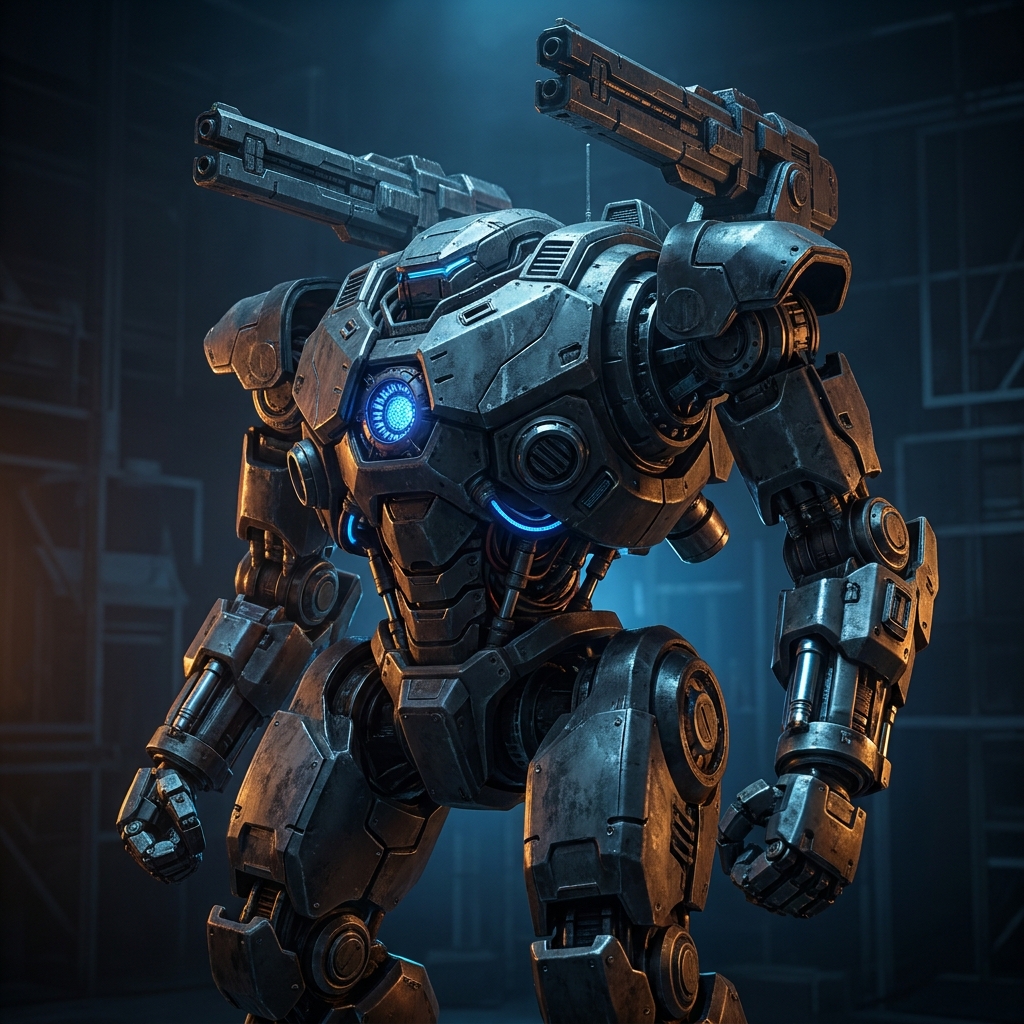
通过强大的空间推理能力,仅需一张图片即可"脑补"出物体被遮挡部分的完整结构,并重建出高质量的 3D 模型。系统会自动处理透视关系,确保生成的 3D 资产在比例和结构上与原图高度一致。
高清贴图优化
开启 hd_texture 后,模型贴图将从标准分辨率升级为 8K 超高清,精细还原材质细节,消除拉伸模糊,同时自动补全背面纹理。
bash
curl -X POST 'https://api.v2fun.ai/api/v1/3d_models/meshes' \
  -H 'Authorization: Bearer $V2FUN_API_KEY' \
  -H 'Content-Type: application/json' \
  -d '{
      "input_image": "https://asset.v2fun.ai/upload/img23d-input-mech.png",
      "with_texture": true,
      "hd_texture": true
    }'
javascript
const response = await fetch('https://api.v2fun.ai/api/v1/3d_models/meshes', {
  method: 'POST',
  headers: {
    'Authorization': 'Bearer $V2FUN_API_KEY',
    'Content-Type': 'application/json',
  },
  body: JSON.stringify({
    "input_image": "https://asset.v2fun.ai/upload/img23d-input-mech.png",
    "with_texture": true,
    "hd_texture": true
  }),
});
const data = await response.json();
python
import requests

resp = requests.post(
    'https://api.v2fun.ai/api/v1/3d_models/meshes',
    headers={
        'Authorization': 'Bearer $V2FUN_API_KEY',
        'Content-Type': 'application/json',
    },
    json={
        "input_image": "https://asset.v2fun.ai/upload/img23d-input-mech.png",
        "with_texture": true,
        "hd_texture": true
    },
)
print(resp.json())
java
import java.net.URI;
import java.net.http.*;

HttpClient client = HttpClient.newHttpClient();
String body = "{\"input_image\":\"https://asset.v2fun.ai/upload/img23d-input-mech.png\",\"with_texture\":true,\"hd_texture\":true}";
HttpRequest request = HttpRequest.newBuilder()
    .uri(URI.create("https://api.v2fun.ai/api/v1/3d_models/meshes"))
    .header("Authorization", "Bearer $V2FUN_API_KEY")
    .header("Content-Type", "application/json")
    .POST(HttpRequest.BodyPublishers.ofString(body))
    .build();
HttpResponse<String> response = client.send(
    request, HttpResponse.BodyHandlers.ofString());
System.out.println(response.body());
输入图片
输出结果
PBR 材质生成
同步生成物理贴图,使模型在不同的光影环境下表现出真实的物理反射。
bash
curl -X POST 'https://api.v2fun.ai/api/v1/3d_models/meshes' \
  -H 'Authorization: Bearer $V2FUN_API_KEY' \
  -H 'Content-Type: application/json' \
  -d '{
      "input_image": "https://asset.v2fun.ai/upload/img23d-input-mech.png",
      "with_texture": true,
      "pbr_texture": true
    }'
javascript
const response = await fetch('https://api.v2fun.ai/api/v1/3d_models/meshes', {
  method: 'POST',
  headers: {
    'Authorization': 'Bearer $V2FUN_API_KEY',
    'Content-Type': 'application/json',
  },
  body: JSON.stringify({
    "input_image": "https://asset.v2fun.ai/upload/img23d-input-mech.png",
    "with_texture": true,
    "pbr_texture": true
  }),
});
const data = await response.json();
python
import requests

resp = requests.post(
    'https://api.v2fun.ai/api/v1/3d_models/meshes',
    headers={
        'Authorization': 'Bearer $V2FUN_API_KEY',
        'Content-Type': 'application/json',
    },
    json={
        "input_image": "https://asset.v2fun.ai/upload/img23d-input-mech.png",
        "with_texture": true,
        "pbr_texture": true
    },
)
print(resp.json())
java
import java.net.URI;
import java.net.http.*;

HttpClient client = HttpClient.newHttpClient();
String body = "{\"input_image\":\"https://asset.v2fun.ai/upload/img23d-input-mech.png\",\"with_texture\":true,\"pbr_texture\":true}";
HttpRequest request = HttpRequest.newBuilder()
    .uri(URI.create("https://api.v2fun.ai/api/v1/3d_models/meshes"))
    .header("Authorization", "Bearer $V2FUN_API_KEY")
    .header("Content-Type", "application/json")
    .POST(HttpRequest.BodyPublishers.ofString(body))
    .build();
HttpResponse<String> response = client.send(
    request, HttpResponse.BodyHandlers.ofString());
System.out.println(response.body());
输入图片
输出结果
多视角生成模型
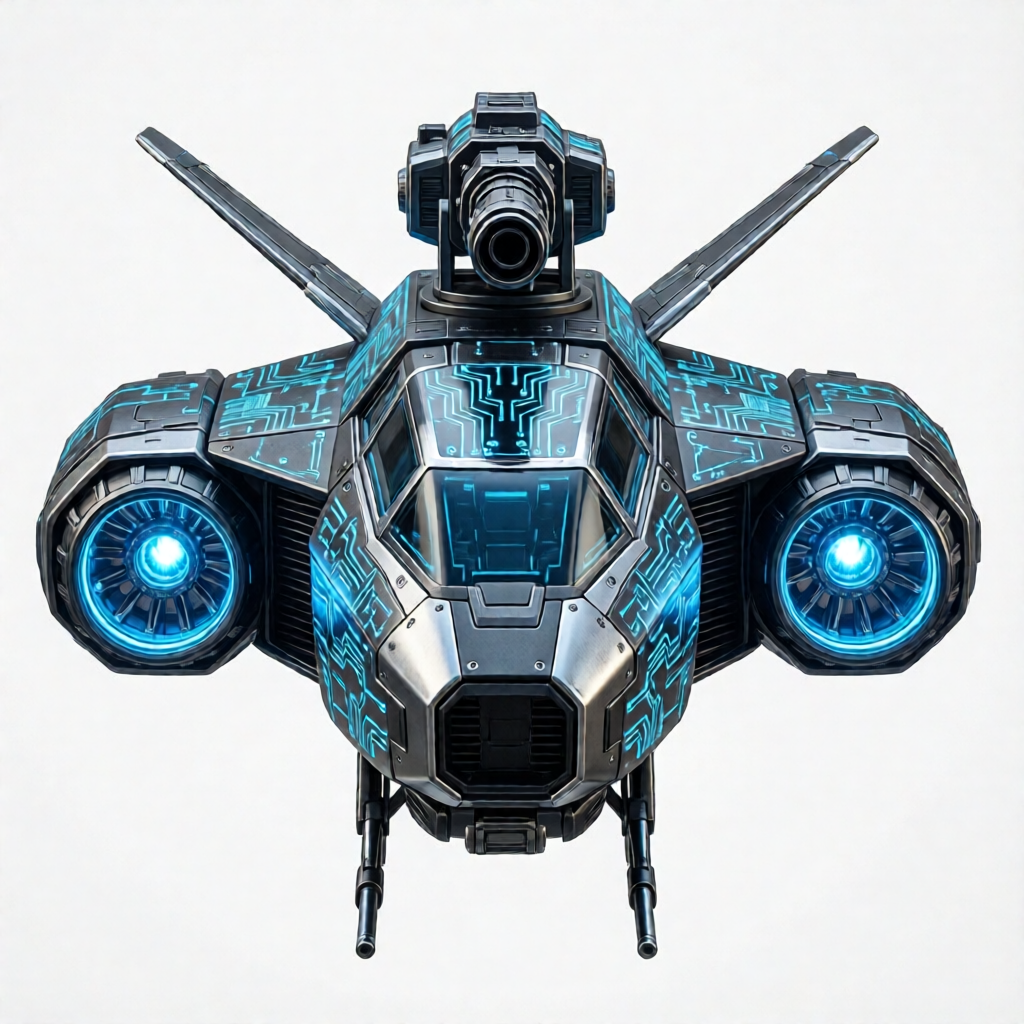
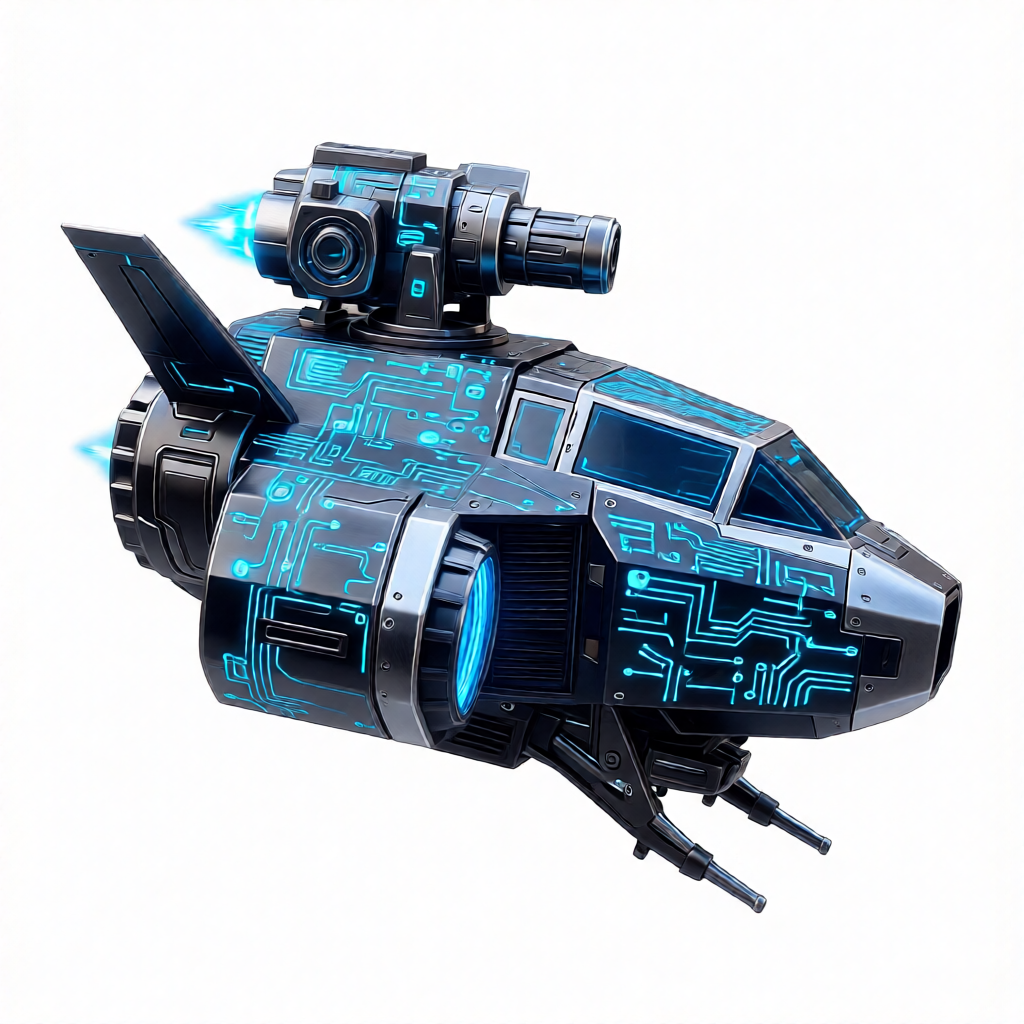
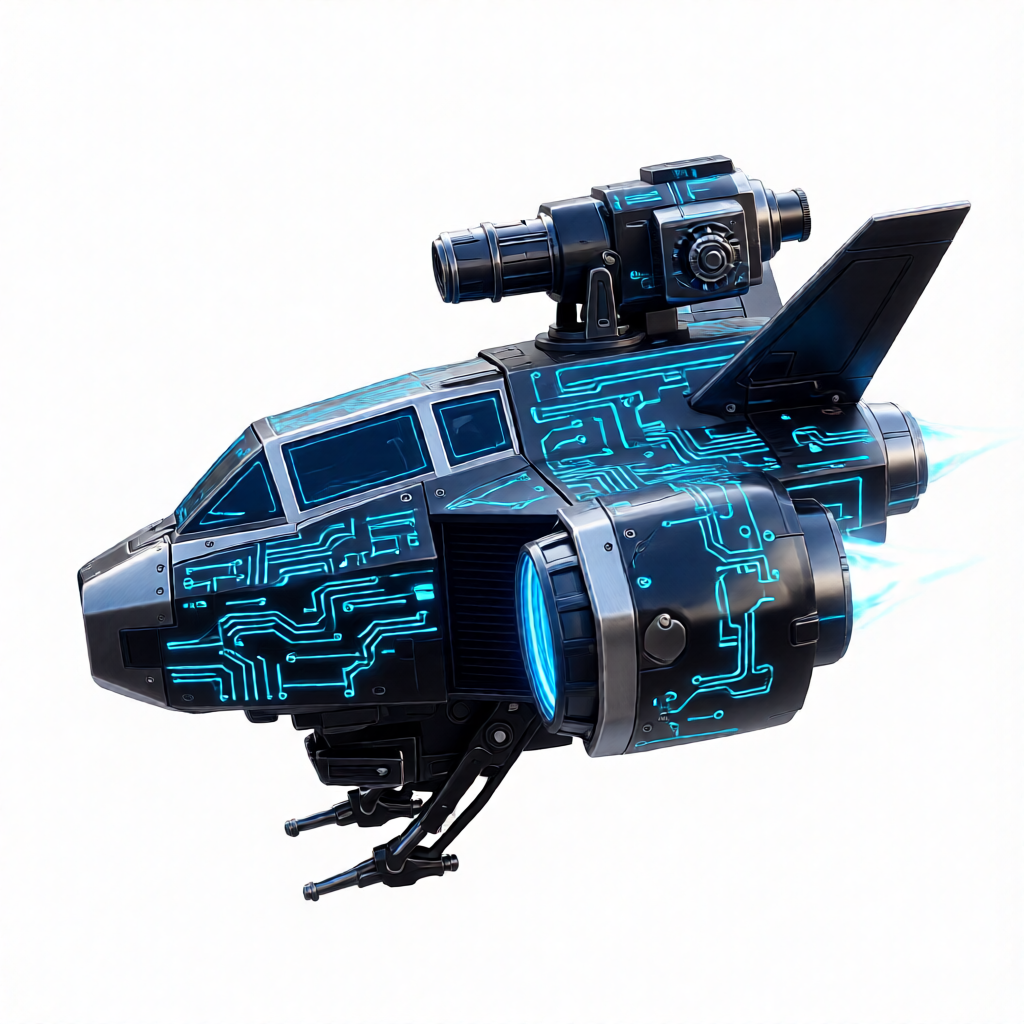
如果你拥有物体的多个角度照片(如前、后、侧面),本功能将利用多视角立体匹配技术,获得比单图重建精度高得多的工业级模型。它能完美还原复杂物体的几何细节,适合高精度数字孪生场景。
多视角高保真重建
通过输入不同维度的照片,系统将进行复杂的三角化计算,生成具有精准物理比例的三维资产。
bash
curl -X POST 'https://api.v2fun.ai/api/v1/3d_models/meshes' \
  -H 'Authorization: Bearer $V2FUN_API_KEY' \
  -H 'Content-Type: application/json' \
  -d '{
      "input_images": {
        "front": "https://asset.v2fun.ai/upload/mv-input-front.png",
        "left": "https://asset.v2fun.ai/upload/mv2-input-right.png",
        "right": "https://asset.v2fun.ai/upload/mv2-input-left.png"
      },
      "with_texture": true
    }'
javascript
const response = await fetch('https://api.v2fun.ai/api/v1/3d_models/meshes', {
  method: 'POST',
  headers: {
    'Authorization': 'Bearer $V2FUN_API_KEY',
    'Content-Type': 'application/json',
  },
  body: JSON.stringify({
    "input_images": {
      "front": "https://asset.v2fun.ai/upload/mv-input-front.png",
      "left": "https://asset.v2fun.ai/upload/mv2-input-right.png",
      "right": "https://asset.v2fun.ai/upload/mv2-input-left.png"
    },
    "with_texture": true
  }),
});
const data = await response.json();
python
import requests

resp = requests.post(
    'https://api.v2fun.ai/api/v1/3d_models/meshes',
    headers={
        'Authorization': 'Bearer $V2FUN_API_KEY',
        'Content-Type': 'application/json',
    },
    json={
        "input_images": {
            "front": "https://asset.v2fun.ai/upload/mv-input-front.png",
            "left": "https://asset.v2fun.ai/upload/mv2-input-right.png",
            "right": "https://asset.v2fun.ai/upload/mv2-input-left.png"
        },
        "with_texture": true
    },
)
print(resp.json())
java
import java.net.URI;
import java.net.http.*;

HttpClient client = HttpClient.newHttpClient();
String body = "{\"input_images\":{\"front\":\"https://asset.v2fun.ai/upload/mv-input-front.png\",\"left\":\"https://asset.v2fun.ai/upload/mv2-input-right.png\",\"right\":\"https://asset.v2fun.ai/upload/mv2-input-left.png\"},\"with_texture\":true}";
HttpRequest request = HttpRequest.newBuilder()
    .uri(URI.create("https://api.v2fun.ai/api/v1/3d_models/meshes"))
    .header("Authorization", "Bearer $V2FUN_API_KEY")
    .header("Content-Type", "application/json")
    .POST(HttpRequest.BodyPublishers.ofString(body))
    .build();
HttpResponse<String> response = client.send(
    request, HttpResponse.BodyHandlers.ofString());
System.out.println(response.body());
正面
左侧
右侧
输出结果