图片编辑
基于先进的“图像引导生成”技术,允许用户在现有图片的基础上进行精准重塑。支持多图参考模式,能提取 A 图的结构与 B 图的风格,将其融合成全新的视觉作品。适用于图片局部修改、风格重绘及复杂的合成任务。
典型应用场景
- 风格重绘:保留原图构图,将其转换为二次元、油画或赛博朋克风格
- 属性修改:保持主体结构不变,通过文字指令修改服装颜色、天气环境或背景道具
- 角色合成:将多张图片中的元素(如角色、背景)融合成单一场景
本页使用的 API 参考 POST /images/edits
图片传入方式
图片参数支持三种格式,可根据使用场景灵活选择:
- 前置任务结果:将上一步任务返回的
asset_path直接作为字段值,适合多步流程串联(如先文生图、再图片编辑) - Base64 编码:传入图片文件内容的 base64 字符串(不含
data:前缀),适合直接传入本地文件 - 公网 URL:传入
https://开头的可公开访问图片链接,系统自动下载处理
基础示例
bash
curl -X POST 'https://api.v2fun.ai/api/v1/images/edits' \
  -H 'Authorization: Bearer $V2FUN_API_KEY' \
  -H 'Content-Type: application/json' \
  -d '{
      "prompt": "A beautiful sunset over the mountains",
      "input_images": [
        "images/example_1.png",
        "images/example_2.png"
      ]
    }'
javascript
const response = await fetch('https://api.v2fun.ai/api/v1/images/edits', {
  method: 'POST',
  headers: {
    'Authorization': 'Bearer $V2FUN_API_KEY',
    'Content-Type': 'application/json',
  },
  body: JSON.stringify({
    "prompt": "A beautiful sunset over the mountains",
    "input_images": [
      "images/example_1.png",
      "images/example_2.png"
    ]
  }),
});
const data = await response.json();
python
import requests

resp = requests.post(
    'https://api.v2fun.ai/api/v1/images/edits',
    headers={
        'Authorization': 'Bearer $V2FUN_API_KEY',
        'Content-Type': 'application/json',
    },
    json={
        "prompt": "A beautiful sunset over the mountains",
        "input_images": [
            "images/example_1.png",
            "images/example_2.png"
        ]
    },
)
print(resp.json())
java
import java.net.URI;
import java.net.http.*;

HttpClient client = HttpClient.newHttpClient();
String body = "{\"prompt\":\"A beautiful sunset over the mountains\",\"input_images\":[\"images/example_1.png\",\"images/example_2.png\"]}";
HttpRequest request = HttpRequest.newBuilder()
    .uri(URI.create("https://api.v2fun.ai/api/v1/images/edits"))
    .header("Authorization", "Bearer $V2FUN_API_KEY")
    .header("Content-Type", "application/json")
    .POST(HttpRequest.BodyPublishers.ofString(body))
    .build();
HttpResponse<String> response = client.send(
    request, HttpResponse.BodyHandlers.ofString());
System.out.println(response.body());
核心用例
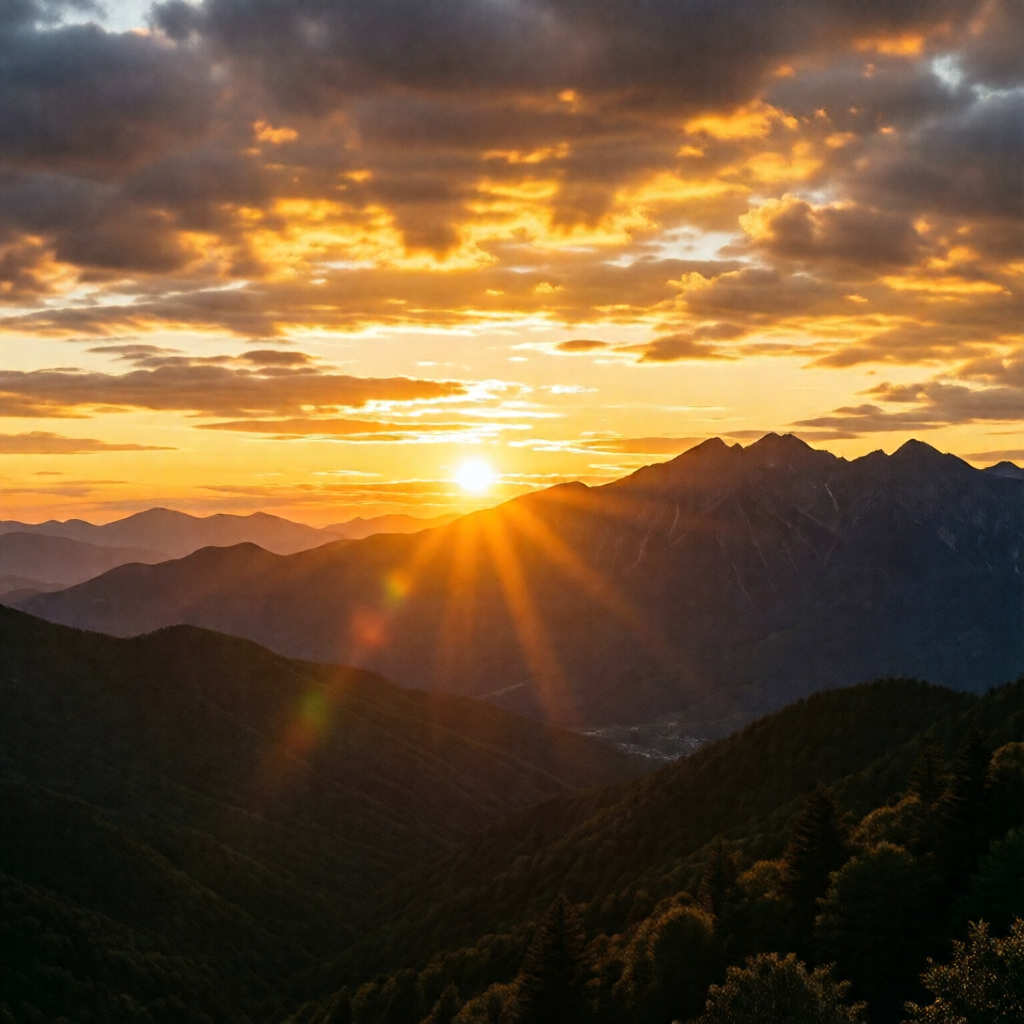
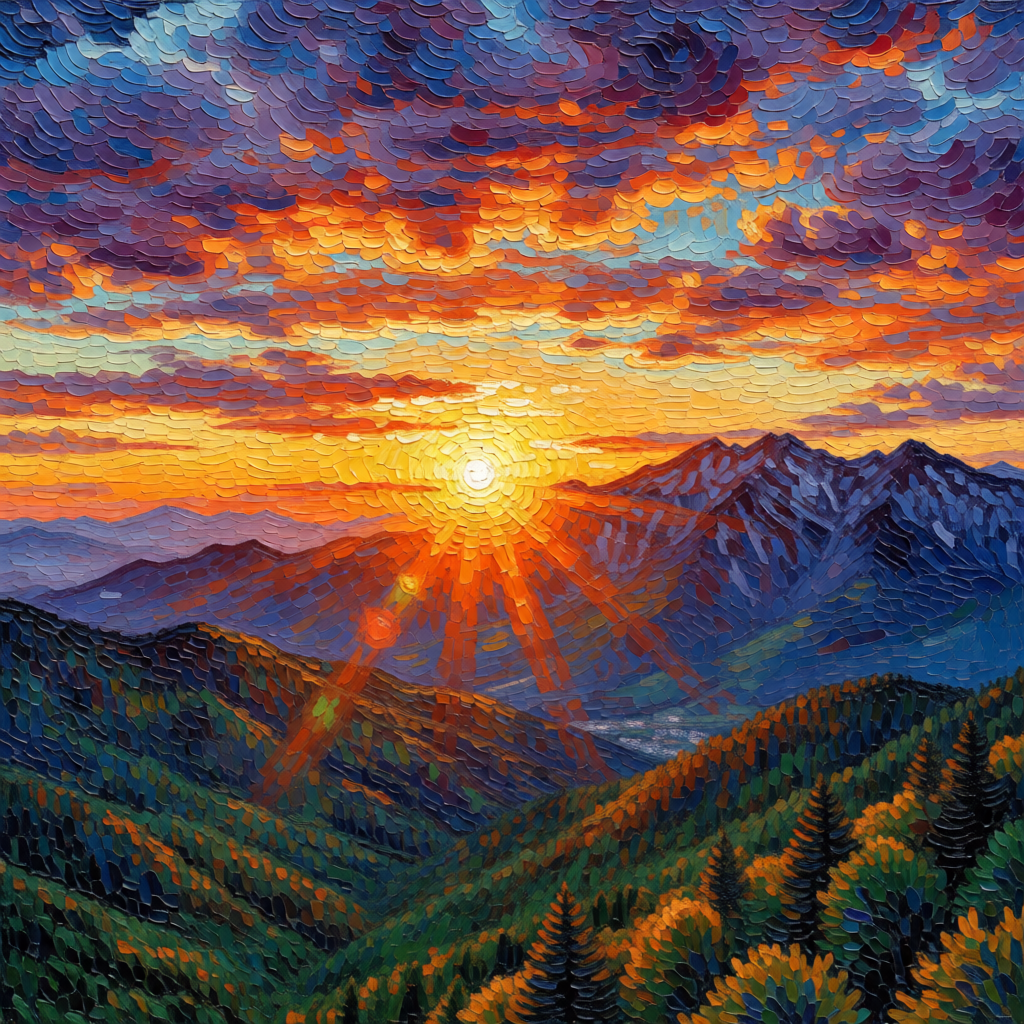
描述您的编辑要求
通过提示词告诉 AI 您想如何修改或变换输入的图片。AI 会在理解参考图内容的基础上,按指令进行精准修改或风格重绘——例如将照片转为印象派油画风格。
bash
curl -X POST 'https://api.v2fun.ai/api/v1/images/edits' \
  -H 'Authorization: Bearer $V2FUN_API_KEY' \
  -H 'Content-Type: application/json' \
  -d '{
      "prompt": "transform into a vivid impressionist oil painting style, thick brush strokes, vibrant colors, Van Gogh style",
      "input_images": [
        "https://asset.v2fun.ai/upload/img-basic.png"
      ]
    }'
javascript
const response = await fetch('https://api.v2fun.ai/api/v1/images/edits', {
  method: 'POST',
  headers: {
    'Authorization': 'Bearer $V2FUN_API_KEY',
    'Content-Type': 'application/json',
  },
  body: JSON.stringify({
    "prompt": "transform into a vivid impressionist oil painting style, thick brush strokes, vibrant colors, Van Gogh style",
    "input_images": [
      "https://asset.v2fun.ai/upload/img-basic.png"
    ]
  }),
});
const data = await response.json();
python
import requests

resp = requests.post(
    'https://api.v2fun.ai/api/v1/images/edits',
    headers={
        'Authorization': 'Bearer $V2FUN_API_KEY',
        'Content-Type': 'application/json',
    },
    json={
        "prompt": "transform into a vivid impressionist oil painting style, thick brush strokes, vibrant colors, Van Gogh style",
        "input_images": [
            "https://asset.v2fun.ai/upload/img-basic.png"
        ]
    },
)
print(resp.json())
java
import java.net.URI;
import java.net.http.*;

HttpClient client = HttpClient.newHttpClient();
String body = "{\"prompt\":\"transform into a vivid impressionist oil painting style, thick brush strokes, vibrant colors, Van Gogh style\",\"input_images\":[\"https://asset.v2fun.ai/upload/img-basic.png\"]}";
HttpRequest request = HttpRequest.newBuilder()
    .uri(URI.create("https://api.v2fun.ai/api/v1/images/edits"))
    .header("Authorization", "Bearer $V2FUN_API_KEY")
    .header("Content-Type", "application/json")
    .POST(HttpRequest.BodyPublishers.ofString(body))
    .build();
HttpResponse<String> response = client.send(
    request, HttpResponse.BodyHandlers.ofString());
System.out.println(response.body());
输入图片
输出结果
多图语义融合
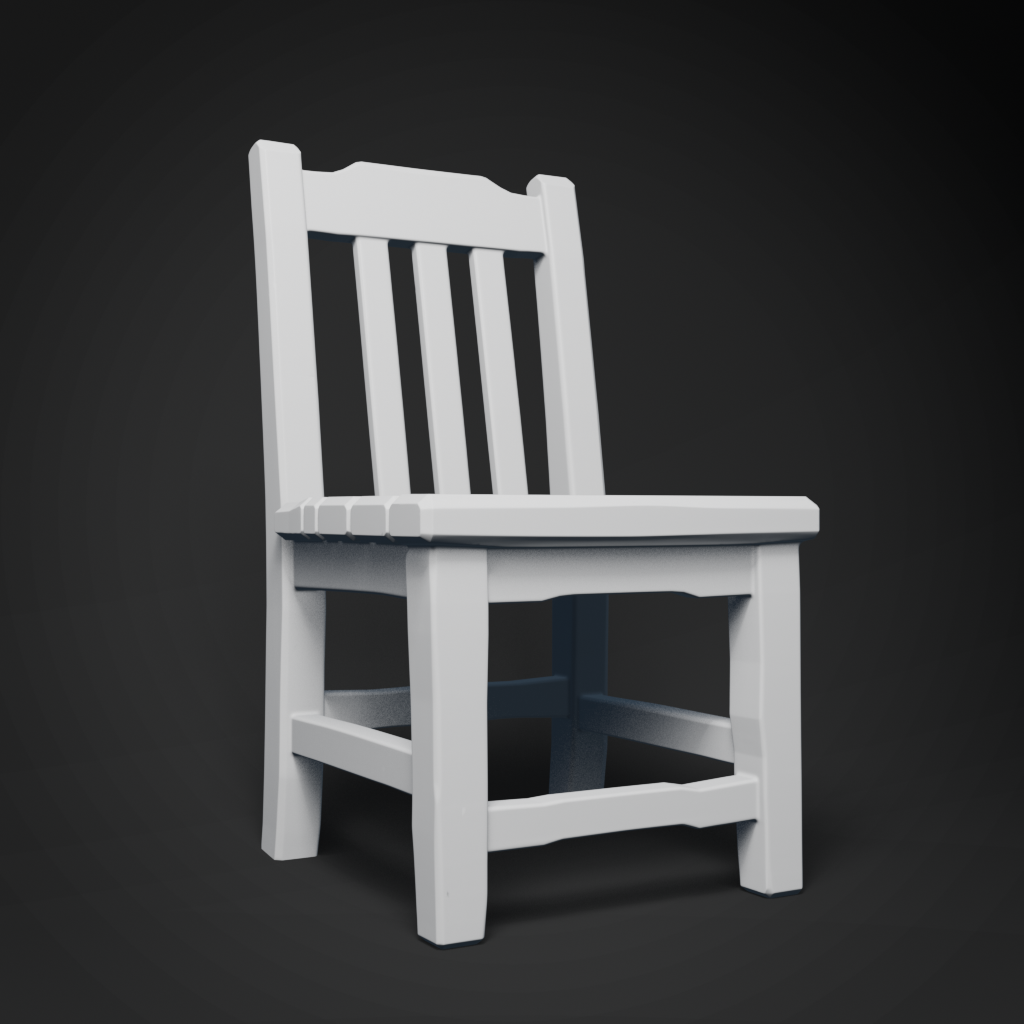
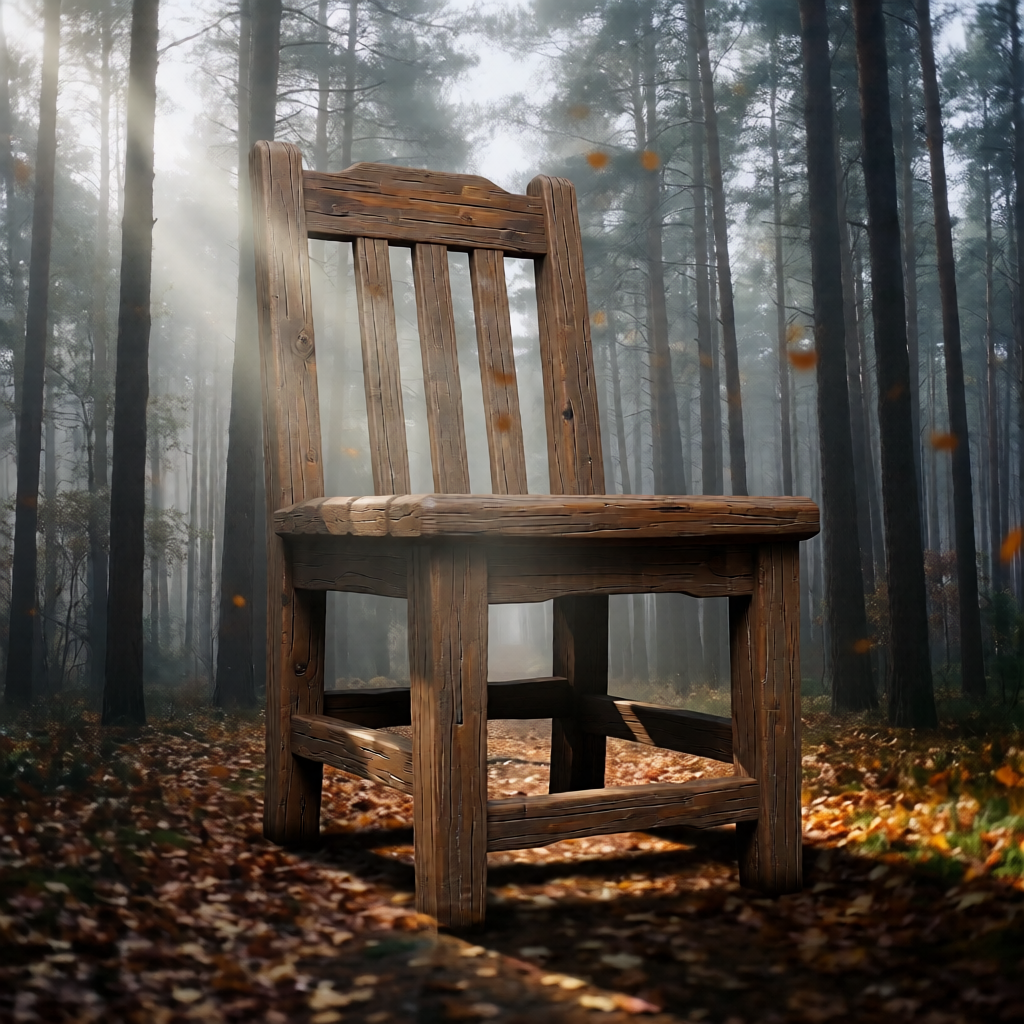
支持最多 3 张参考图。你可以上传一张风景图和一张模型渲染图,AI 将根据 Prompt 自动将它们融合成全新的视觉作品,处理好光影衔接与透视关系。
bash
curl -X POST 'https://api.v2fun.ai/api/v1/images/edits' \
  -H 'Authorization: Bearer $V2FUN_API_KEY' \
  -H 'Content-Type: application/json' \
  -d '{
      "input_images": [
        "https://asset.v2fun.ai/upload/img-basic.png",
        "https://asset.v2fun.ai/upload/img-model.png"
      ],
      "prompt": "composite: show the mountain landscape reflected in the metallic surface of the rendered object"
    }'
javascript
const response = await fetch('https://api.v2fun.ai/api/v1/images/edits', {
  method: 'POST',
  headers: {
    'Authorization': 'Bearer $V2FUN_API_KEY',
    'Content-Type': 'application/json',
  },
  body: JSON.stringify({
    "input_images": [
      "https://asset.v2fun.ai/upload/img-basic.png",
      "https://asset.v2fun.ai/upload/img-model.png"
    ],
    "prompt": "composite: show the mountain landscape reflected in the metallic surface of the rendered object"
  }),
});
const data = await response.json();
python
import requests

resp = requests.post(
    'https://api.v2fun.ai/api/v1/images/edits',
    headers={
        'Authorization': 'Bearer $V2FUN_API_KEY',
        'Content-Type': 'application/json',
    },
    json={
        "input_images": [
            "https://asset.v2fun.ai/upload/img-basic.png",
            "https://asset.v2fun.ai/upload/img-model.png"
        ],
        "prompt": "composite: show the mountain landscape reflected in the metallic surface of the rendered object"
    },
)
print(resp.json())
java
import java.net.URI;
import java.net.http.*;

HttpClient client = HttpClient.newHttpClient();
String body = "{\"input_images\":[\"https://asset.v2fun.ai/upload/img-basic.png\",\"https://asset.v2fun.ai/upload/img-model.png\"],\"prompt\":\"composite: show the mountain landscape reflected in the metallic surface of the rendered object\"}";
HttpRequest request = HttpRequest.newBuilder()
    .uri(URI.create("https://api.v2fun.ai/api/v1/images/edits"))
    .header("Authorization", "Bearer $V2FUN_API_KEY")
    .header("Content-Type", "application/json")
    .POST(HttpRequest.BodyPublishers.ofString(body))
    .build();
HttpResponse<String> response = client.send(
    request, HttpResponse.BodyHandlers.ofString());
System.out.println(response.body());
风景图
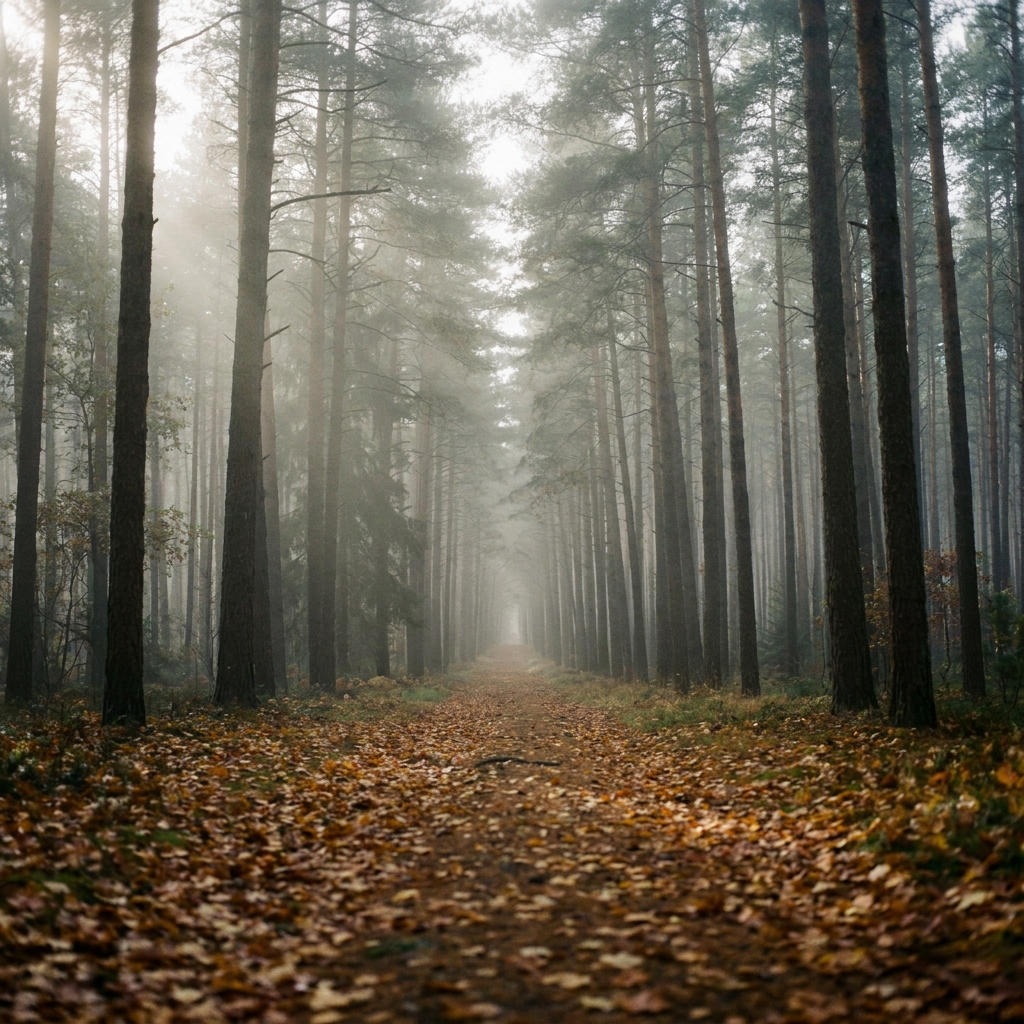
3D 渲染图
输出结果
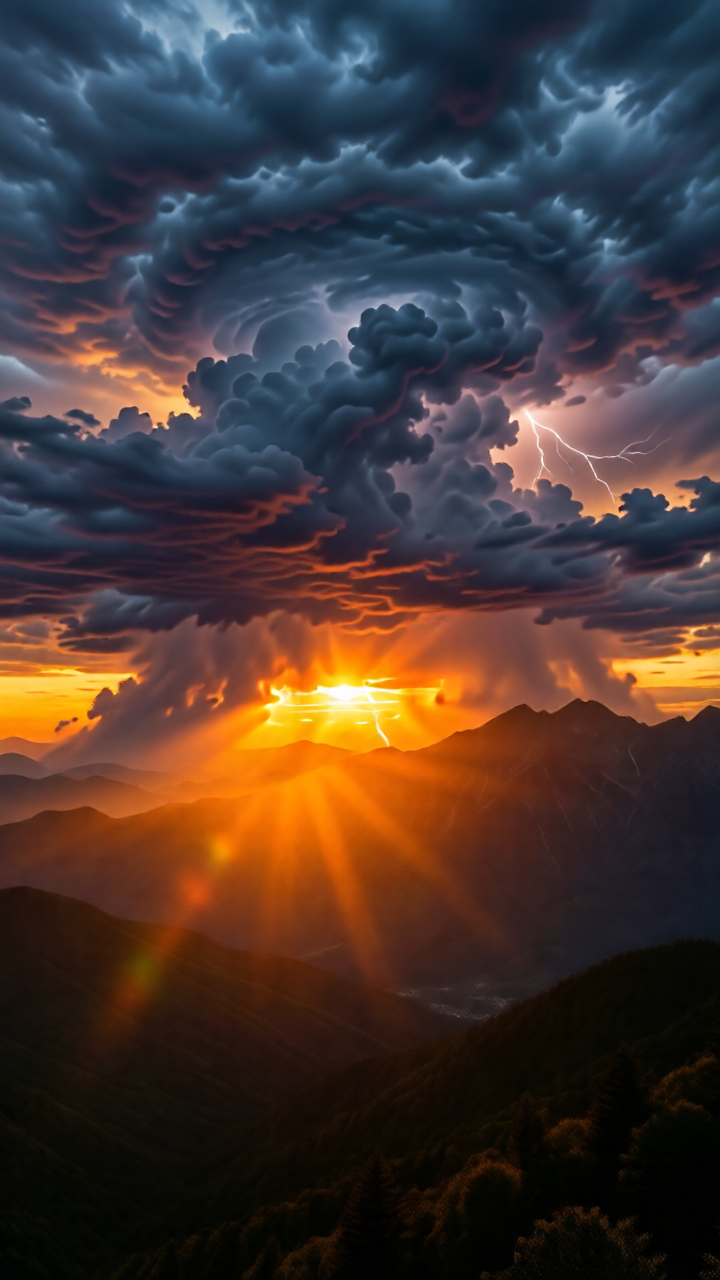
设定输出尺寸
您可以指定生成图片的宽高比,以适配不同的社交媒体或展示终端。竖图(720x1280)更适合手机壁纸或人物主体,横图(1280x720)适合宽屏展示。
size: 1024x1024 · 1152x864 · 864x1152 · 1280x720 · 720x1280
bash
curl -X POST 'https://api.v2fun.ai/api/v1/images/edits' \
  -H 'Authorization: Bearer $V2FUN_API_KEY' \
  -H 'Content-Type: application/json' \
  -d '{
      "size": "720x1280",
      "prompt": "add dramatic storm clouds to the sky",
      "input_images": [
        "https://asset.v2fun.ai/upload/img-basic.png"
      ]
    }'
javascript
const response = await fetch('https://api.v2fun.ai/api/v1/images/edits', {
  method: 'POST',
  headers: {
    'Authorization': 'Bearer $V2FUN_API_KEY',
    'Content-Type': 'application/json',
  },
  body: JSON.stringify({
    "size": "720x1280",
    "prompt": "add dramatic storm clouds to the sky",
    "input_images": [
      "https://asset.v2fun.ai/upload/img-basic.png"
    ]
  }),
});
const data = await response.json();
python
import requests

resp = requests.post(
    'https://api.v2fun.ai/api/v1/images/edits',
    headers={
        'Authorization': 'Bearer $V2FUN_API_KEY',
        'Content-Type': 'application/json',
    },
    json={
        "size": "720x1280",
        "prompt": "add dramatic storm clouds to the sky",
        "input_images": [
            "https://asset.v2fun.ai/upload/img-basic.png"
        ]
    },
)
print(resp.json())
java
import java.net.URI;
import java.net.http.*;

HttpClient client = HttpClient.newHttpClient();
String body = "{\"size\":\"720x1280\",\"prompt\":\"add dramatic storm clouds to the sky\",\"input_images\":[\"https://asset.v2fun.ai/upload/img-basic.png\"]}";
HttpRequest request = HttpRequest.newBuilder()
    .uri(URI.create("https://api.v2fun.ai/api/v1/images/edits"))
    .header("Authorization", "Bearer $V2FUN_API_KEY")
    .header("Content-Type", "application/json")
    .POST(HttpRequest.BodyPublishers.ofString(body))
    .build();
HttpResponse<String> response = client.send(
    request, HttpResponse.BodyHandlers.ofString());
System.out.println(response.body());
输入图片
输出结果