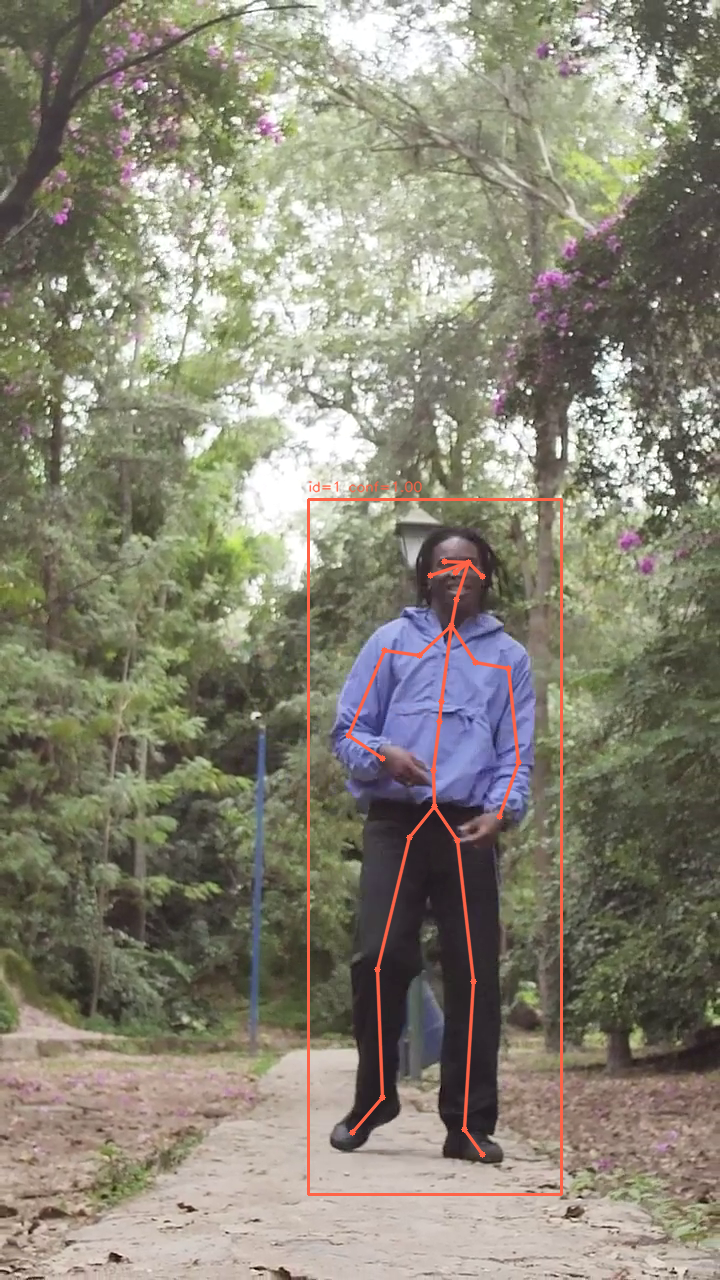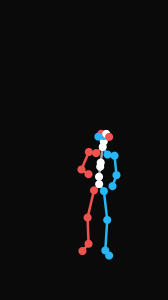
姿态检测
对视频指定帧进行人体姿态检测,返回画面中所有人物的姿态信息与检测 ID。其结果可作为动作检测的前置步骤,用于精确指定需要追踪的对象。
典型应用场景
- 多人场景追踪:先定位目标人物的 person_id,再传入动作检测接口精确捕捉
- 动作质量预检:在执行全段动作捕捉前,快速确认特定帧的姿态数据可用性
本页使用的 API 参考 POST /videos/pose_detections
基础示例
bash
curl -X POST 'https://api.v2fun.ai/api/v1/videos/pose_detections' \
  -H 'Authorization: Bearer $V2FUN_API_KEY' \
  -H 'Content-Type: application/json' \
  -d '{
      "input_video": "videos/example.mp4",
      "time_seconds": 1.5
    }'
javascript
const response = await fetch('https://api.v2fun.ai/api/v1/videos/pose_detections', {
  method: 'POST',
  headers: {
    'Authorization': 'Bearer $V2FUN_API_KEY',
    'Content-Type': 'application/json',
  },
  body: JSON.stringify({
    "input_video": "videos/example.mp4",
    "time_seconds": 1.5
  }),
});
const data = await response.json();
python
import requests

resp = requests.post(
    'https://api.v2fun.ai/api/v1/videos/pose_detections',
    headers={
        'Authorization': 'Bearer $V2FUN_API_KEY',
        'Content-Type': 'application/json',
    },
    json={
        "input_video": "videos/example.mp4",
        "time_seconds": 1.5
    },
)
print(resp.json())
java
import java.net.URI;
import java.net.http.*;

HttpClient client = HttpClient.newHttpClient();
String body = "{\"input_video\":\"videos/example.mp4\",\"time_seconds\":1.5}";
HttpRequest request = HttpRequest.newBuilder()
    .uri(URI.create("https://api.v2fun.ai/api/v1/videos/pose_detections"))
    .header("Authorization", "Bearer $V2FUN_API_KEY")
    .header("Content-Type", "application/json")
    .POST(HttpRequest.BodyPublishers.ofString(body))
    .build();
HttpResponse<String> response = client.send(
    request, HttpResponse.BodyHandlers.ofString());
System.out.println(response.body());
核心用例
视频帧姿态检测
指定视频文件与时间点(秒),系统自动检测该帧内的人体姿态,返回检测到的人物 ID 列表,可用于后续动作检测的目标筛选。
bash
curl -X POST 'https://api.v2fun.ai/api/v1/videos/pose_detections' \
  -H 'Authorization: Bearer $V2FUN_API_KEY' \
  -H 'Content-Type: application/json' \
  -d '{
      "input_video": "videos/example.mp4",
      "time_seconds": 0
    }'
javascript
const response = await fetch('https://api.v2fun.ai/api/v1/videos/pose_detections', {
  method: 'POST',
  headers: {
    'Authorization': 'Bearer $V2FUN_API_KEY',
    'Content-Type': 'application/json',
  },
  body: JSON.stringify({
    "input_video": "videos/example.mp4",
    "time_seconds": 0
  }),
});
const data = await response.json();
python
import requests

resp = requests.post(
    'https://api.v2fun.ai/api/v1/videos/pose_detections',
    headers={
        'Authorization': 'Bearer $V2FUN_API_KEY',
        'Content-Type': 'application/json',
    },
    json={
        "input_video": "videos/example.mp4",
        "time_seconds": 0
    },
)
print(resp.json())
java
import java.net.URI;
import java.net.http.*;

HttpClient client = HttpClient.newHttpClient();
String body = "{\"input_video\":\"videos/example.mp4\",\"time_seconds\":0}";
HttpRequest request = HttpRequest.newBuilder()
    .uri(URI.create("https://api.v2fun.ai/api/v1/videos/pose_detections"))
    .header("Authorization", "Bearer $V2FUN_API_KEY")
    .header("Content-Type", "application/json")
    .POST(HttpRequest.BodyPublishers.ofString(body))
    .build();
HttpResponse<String> response = client.send(
    request, HttpResponse.BodyHandlers.ofString());
System.out.println(response.body());
输入视频
输出结果